Adventure
4.4
Safety Pin Couple

Safety Pin Couple
4,060
Join the delightful duo on an enchanting quest in Safety Pin Couple, where safety pins become the stars of an adventurous tale. Navigate through whimsical levels, helping two charming safety pins overcome various obstacles and dangers to reunite. Use their special skills and work together to solve clever puzzles and progress through each level. Enjoy the story of these inseparable pins brought to life with its cute graphics and engaging challenges. Discover a world full of surprises and support your pins on their touching journey toward unity. Explore more at Vitality Games: https://www.vitalitygames.com/new-games.html
Recommended Games

Escape The TEMPLE
4.23,011
Player 1 uses WASD keys for movement, while Player 2 uses arrow keys. Both players can press E to open valves or move boxes. On mobile, touch controls are used.

Hard Room Cube
4.16,567
Use arrow keys to move the cube in Hard Room Cube. Press space to jump. Navigate through the room, avoiding laser beams and obstacles strategically placed for a challenging experience.
Battle Of Heros
4.73,269
Click on any available unit to place it in your formation.
Little Dino Returns 2023
4.46,088
Whether you use arrow keys or touch buttons on your phone's screen, the gameplay remains smooth and responsive, ensuring an optimal experience across both desktop and mobile platforms.

Sprunki in Squid Game Chamber
4.46,019
WASD controls the movement of the character, allowing players to navigate through various levels and environments. W moves the character forward, S moves the character backward, A turns the character left, and D turns the character right, providing flexibility in exploration and interaction within the game world.
Firefight Upgrader
5.03,350
Click or tap the screen to interact and progress through the game.
Event Space
4.66,693
In this setup, players use a mouse for aiming and moving the cursor within the game interface, facilitating precision actions like targeting enemies or selecting items. Meanwhile, keyboard inputs handle a variety of commands such as movement, jumping, interacting with objects, and activating special abilities or skills. This combination enhances control and responsiveness in gameplay, offering a balance between strategic planning and rapid execution.

Careening Though Space
4.77,479
Tap or click to guide the astronaut, collecting air tanks and coins while dodging asteroids, flying saucers, and black holes.

Fire and Water Stickman
4.65,615
Navigate using WASD or arrow keys for desktop, touch controls for mobile. Perform double jumps to reach higher platforms and avoid obstacles.

Scary House Clown Evil
4.87,491
WSAD for movement, left shift to sprint. On mobile, use the virtual joystick for movement and touch screen to look around.
Chick Chase
4.75,782
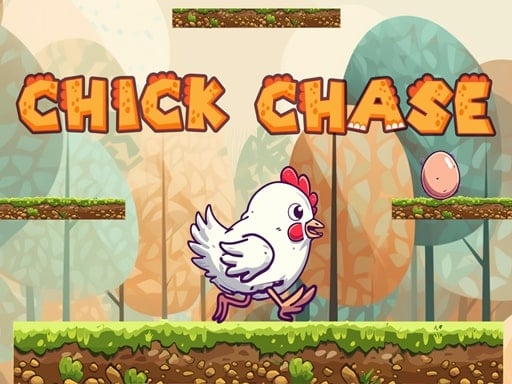
Move your chicken left or right using on-screen controls, jumping between platforms to progress. Gather every egg in each level to boost your score.

Wizard Adventure
4.93,606
Use the touch screen joystick to navigate the player character. Move your finger on the screen in the direction you want the player to go. This controls both the Android and PC players equally, providing smooth movement in any direction.
Galaxy Wars
4.63,792
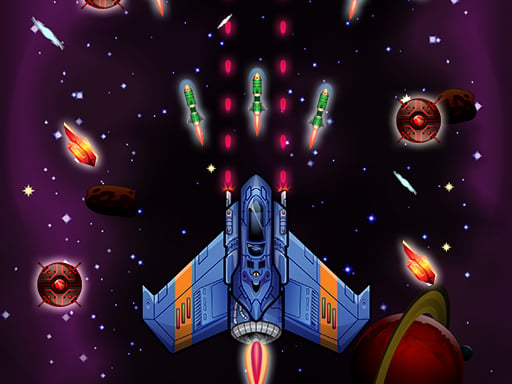
Desktop: Click and hold the left mouse button, then drag to navigate. Mobile: Touch the screen and drag to move around.

Hole And Fill Collect Master
4.97,581
Click or tap the screen to interact and progress through the game. Use these inputs to trigger actions, solve puzzles, and navigate challenges. Engage with elements by simply pointing and clicking for an intuitive gaming experience.

Sprunki Incredibox Only Up
4.55,109
Use WASD keys to move your character around in the game world. Press the space bar to make your character jump. Explore and navigate through different levels by combining these movements to overcome obstacles and reach your goals.

Penguin Adventure 2
4.25,442
In this game, on PC, use up and down arrows to jump and move down, and press J to throw bullets. On mobile, tapping buttons makes you move. To enhance understanding, on PC, left and right arrow keys control movement direction while up arrow initiates jumps. On mobile, swiping left or right navigates character movement, and tapping an additional button fires projectiles.

Blocky Universe
4.74,246
click to start your adventure explore the interactive world by clicking on various elements to trigger events and progress through levels interact with characters by clicking on them to engage in dialogue or complete tasks solve puzzles by identifying clickable objects that help you overcome challenges navigate through different scenes by clicking on portals or exits to travel within the game environment collect items by clicking on them to add to your inventory use collected items by clicking on obstacles or specific areas requiring those items to proceed

Among Squid Challenge Online
4.57,507
Use arrow keys to move around in both mobile and PC versions. Press space to eliminate opponents. Utilize buttons for toggling the map view on and off to navigate better.

Angry Dad Cute Baby
4.53,110
W A D controls the Cute Baby, Arrow Keys control the Angry Dad, pressing U key or button opens a portal